Saturday, October 18, 2014
Nokia Asha 202 Camera Problem Solution Jumper Ways
nokia asha 202 camera not working, Camera problem solution, Camera Jumper ways, Camera standby. All these problems can be solve with this diagram that is given in this post.
nokia C5-03 Display Problem Lcd Solution Jumpers

Check camera setting in your mobile phone. If there is any setting problem it will be solve.After dis assembly check all these parts and components that are shown in this diagram.
Find out if there is some rust carbon or water damages. Clean these parts with electronics cleaner and apply hot air to make it dry.Do not apply much heat because it can harm your skin or may can damage mother board.
In diagram above different color lines are given. These lines are indicating paths and tracks that are used in camera function. Check all these parts with meter and if any of them is missing apply jumpers as shown in above camera repairing diagram for nokia asha 202.
for more detail and new tips and tricks about cellphone service problem keep visiting this page we will update cellphone service diagrams timely with new cellphone diagrams.some related post are also given bellow you can read them also for more information about cellphone.
[Continue Reading ...]
nokia C5-03 Display Problem Lcd Solution Jumpers

Check camera setting in your mobile phone. If there is any setting problem it will be solve.After dis assembly check all these parts and components that are shown in this diagram.
Find out if there is some rust carbon or water damages. Clean these parts with electronics cleaner and apply hot air to make it dry.Do not apply much heat because it can harm your skin or may can damage mother board.
In diagram above different color lines are given. These lines are indicating paths and tracks that are used in camera function. Check all these parts with meter and if any of them is missing apply jumpers as shown in above camera repairing diagram for nokia asha 202.
for more detail and new tips and tricks about cellphone service problem keep visiting this page we will update cellphone service diagrams timely with new cellphone diagrams.some related post are also given bellow you can read them also for more information about cellphone.

Friday, October 17, 2014
How to Turn On Direct Android Beam on LG G Flex

When this feature is turned on, you can beam app content to another NFC-capable device by holding the devices close together. For example, you can beam Browser pages, YouTube videos, contacts, Polaris Office 4 files, and more. Just bring the devices together (typically back to back) and then touch your Lcd. The app determines what gets beamed.
To activate Direct/Android Beam:
- Tap on the Home icon, tap the Three Horizontal Lines or Settings.
- Select All settings, then go to Share & Connect
- Finally, tap the Direct/Android Beam switch to turn on. (NFC turns on automatically)
Nokia C5 03 Mic problem solution jumper ways
If mic is not working in Nokia C5-03.You are facing Low mic voice or no mic voice problem.All these problems can be fix with a few tips and tricks that are given in this post.nokia X2-02 Speaker problem solution jumper ways

If you found some rust carbon or water damages then it can also be cause of Nokia C5-03 mic problem to solve and fix mic problem in Nokia C5-03 clean all the rust and carbon with electronics cleaner and apply hot air to make it dry.
In above diagram you can see a mic ( microphone ) and some red color lines. These lines are pointing the parts that are used in microphone mic functions in Nokia C5-03.
Check all these tracks and paths with meter and if any of them is missing apply jumpers as shown in above diagram.
for more detail and new tips and tricks about cellphone service problem keep visiting this page we will update cellphone service diagrams timely with new cellphone diagrams.some related post are also given bellow you can read them also for more information about cellphone.
If you found some rust carbon or water damages then it can also be cause of Nokia C5-03 mic problem to solve and fix mic problem in Nokia C5-03 clean all the rust and carbon with electronics cleaner and apply hot air to make it dry.
In above diagram you can see a mic ( microphone ) and some red color lines. These lines are pointing the parts that are used in microphone mic functions in Nokia C5-03.
Check all these tracks and paths with meter and if any of them is missing apply jumpers as shown in above diagram.
for more detail and new tips and tricks about cellphone service problem keep visiting this page we will update cellphone service diagrams timely with new cellphone diagrams.some related post are also given bellow you can read them also for more information about cellphone.
Nokia 6136 Test Mode Solution

Nokia 6136 Local Mode,
Nokia 6136 Local Mode Problem,
Nokia 6136 Test Mode Problem,
Nokia 6136 Local Mode Solution,
Nokia 6136 Test Mode Solution
Nokia C5 03 MMC Memory Card Not working problem solution
This post and diagram is given to solve Nokia C5-03 MMC memory card problem solution. It can be cause of busted memory card jacket or due to damages of MMC IC.Nokia C2-00 Lcd Display Light Jumper Solutions

After dis assemble of Nokia C5-03 look at mother board and If you found some rust carbon or water damages then it can also be cause of Nokia C5-03 memory card MMC problem to solve and fix memory card MMC problem in Nokia C5-03 clean all the rust and carbon with electronics cleaner and apply hot air to make it dry.
In above diagram some different color lines are given. these line are the tracks of MMC jacket and going to MMC IC. Re sold memory card and re flow of MMC can solve memory card problem in Nokia C5-03.

in the above diagram different color jumpers are given to show how you can jumper Nokia C5-03 MMC memory card to solve memory card problem in Nokia C5-03.
for more detail and new tips and tricks about cellphone service problem keep visiting this page we will update cellphone service diagrams timely with new cellphone diagrams.some related post are also given bellow you can read them also for more information about cellphone.

After dis assemble of Nokia C5-03 look at mother board and If you found some rust carbon or water damages then it can also be cause of Nokia C5-03 memory card MMC problem to solve and fix memory card MMC problem in Nokia C5-03 clean all the rust and carbon with electronics cleaner and apply hot air to make it dry.
In above diagram some different color lines are given. these line are the tracks of MMC jacket and going to MMC IC. Re sold memory card and re flow of MMC can solve memory card problem in Nokia C5-03.
How to jumper MMC of Nokia C5-03 memory card
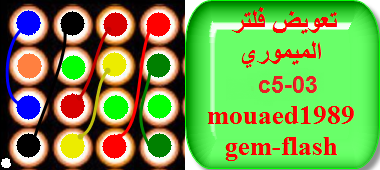
in the above diagram different color jumpers are given to show how you can jumper Nokia C5-03 MMC memory card to solve memory card problem in Nokia C5-03.
for more detail and new tips and tricks about cellphone service problem keep visiting this page we will update cellphone service diagrams timely with new cellphone diagrams.some related post are also given bellow you can read them also for more information about cellphone.
Thursday, October 16, 2014
6100 Charging Problem 6100 Charging Solution

6100 Charging Solution,
6100 Charge Ways,
6100 Not Charging Solution,
Wednesday, October 15, 2014
How to Hard Reset Sony Xperia Z2 Tablet Using Buttons
 We have our own reasons why we hard reset our device. Maybe we want to delete all the files and restore the device to its original state. It could also be the device may be malfunctioning or so slow and it needs to be reset.
Restoring the default settings or factory reset your Sony Xperia Z2 Tablet will delete all your existing files. It is recommended to backup your important files on your computer before attempting to reset your device.
1. If your phone is turned off, just press and hold the Volume Up and Volume Down buttons.
2. Then press and release the Power button (just keep on holding the volume buttons). There should a menu will appear on your phone.
3. Press the Volume down button to navigate to the Recovery option. Press the Volume Up to select (if that doesnt work, use the Power button to select).
4. An Android logo will appear. Press the Volume Down and Volume Up button together and a recovery menu should appear. Use the Volume buttons to move to the Wipe data/Factory reset option and then press Power to select.
5. Use the Volume Down key to choose Yes and press the Power button again to select.
Subscribe to:
Posts (Atom)
